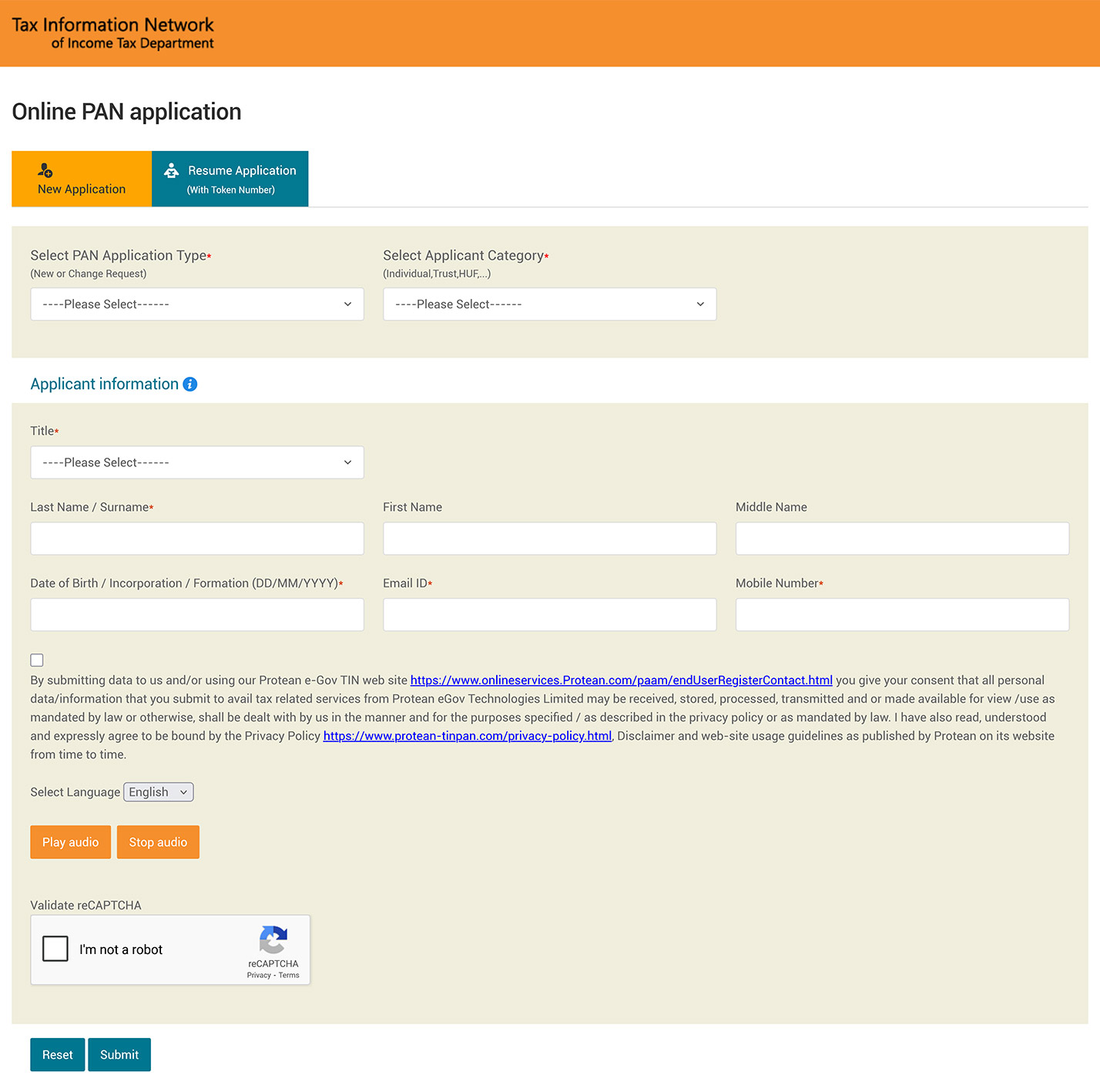
STEP 1 - Visit the NSDL website.https://www.onlineservices.nsdl.com/
STEP 2 - Select the application type as 'New PAN - Indian Citizen (Form 49A)' or ‘New PAN - Foreign Citizen (Form 49AA)’. Select the applicable category and title, enter the last name, first name, middle name, date of birth/ incorporation, email and mobile number. Accept the declaration and Tick the checkbox, validate captcha and click 'Submit' button.
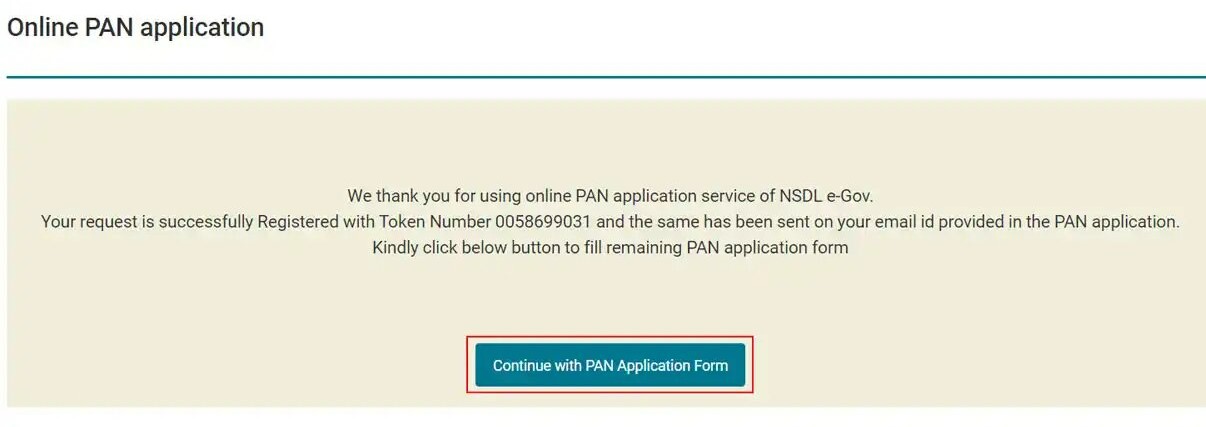
STEP 3 - You will receive a Token Number on your email ID. Click on the ‘Continue with PAN Application Form’ button.
STEP 4 - On this screen, you will see three options. Submit digitally through e-KYC & e-Sign (Paperless) Submit scanned images through e-Sign Forward application documents physically To complete the entire process online through Aadhaar OTP, select the first option ‘Submit digitally through e-KYC & e-Sign (Paperless)’ for updating your PAN.
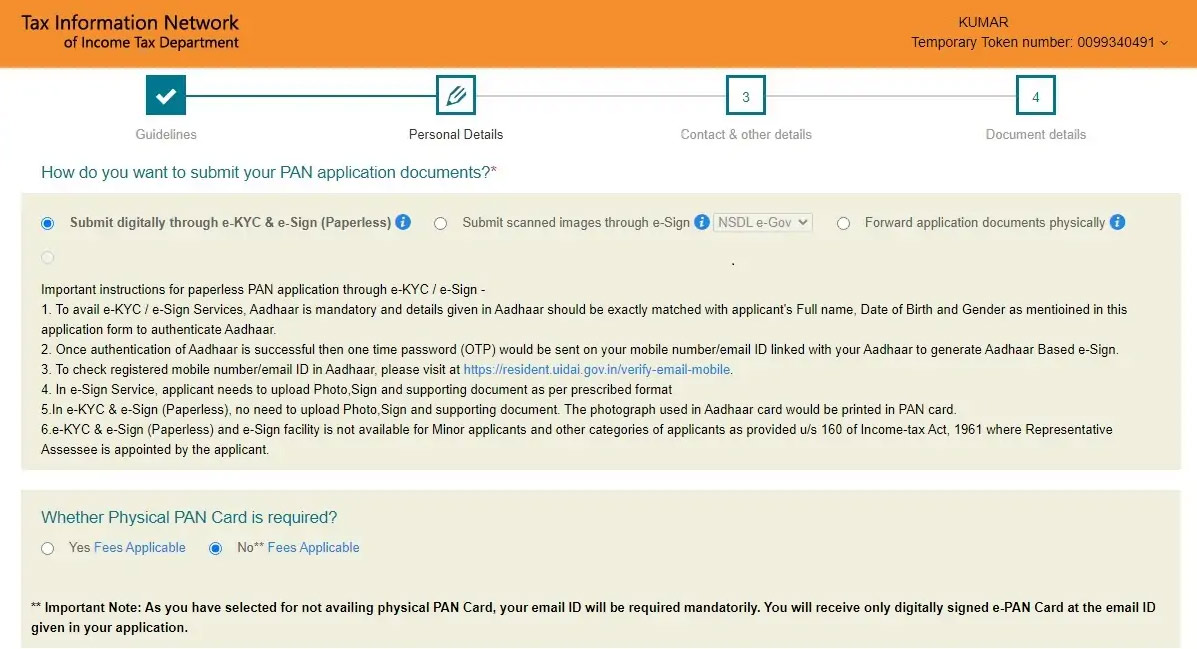
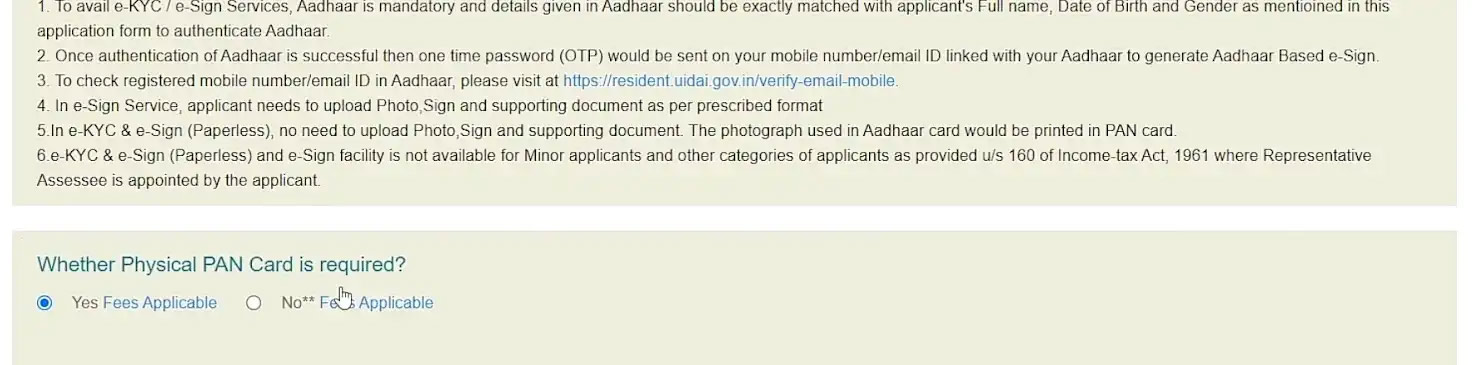
STEP 5 - If you need a new physical copy of the updated PAN card, select yes. Nominal charges will be applicable.
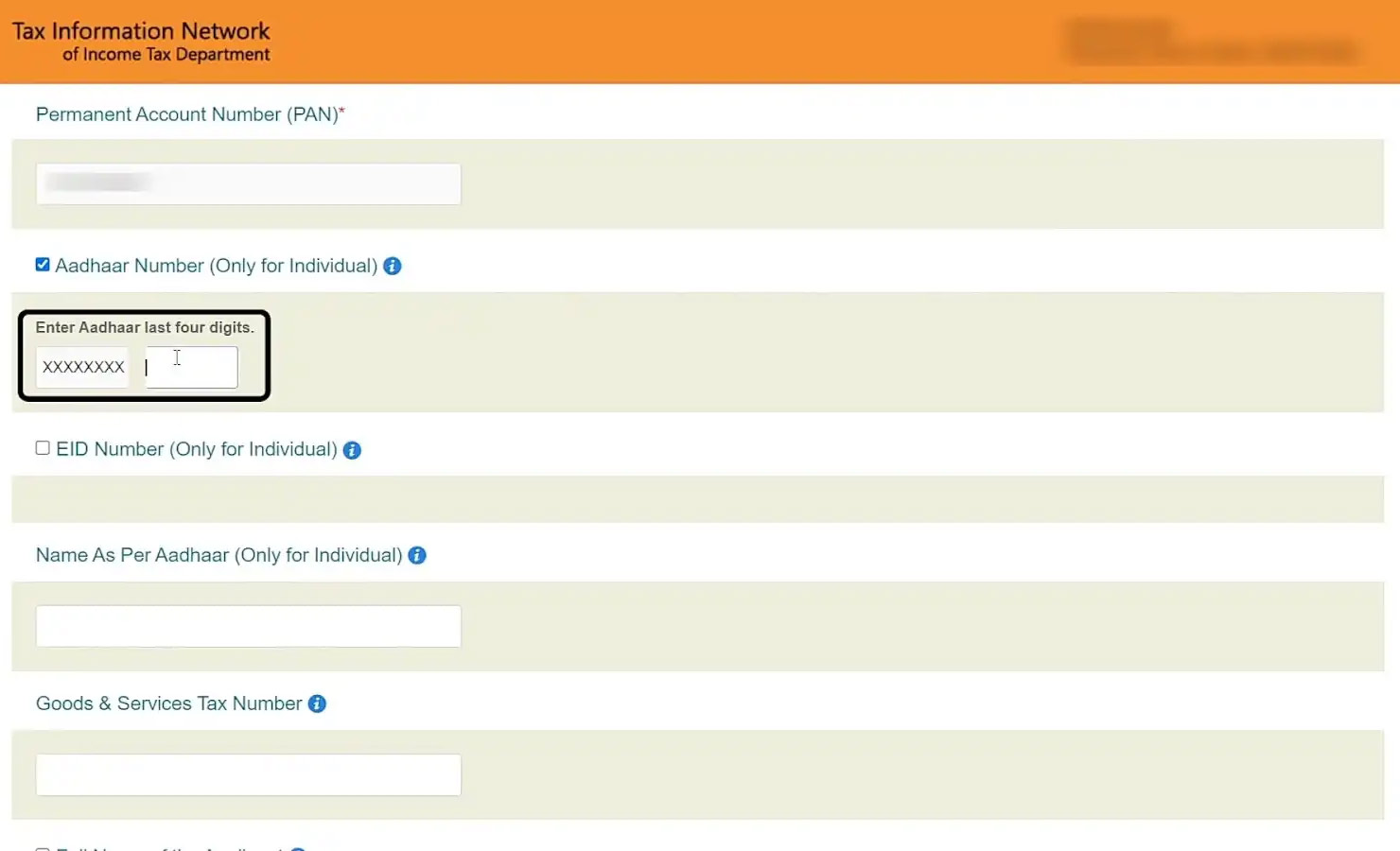
STEP 6 - Scroll down and enter the last four digits of your Aadhaar number.
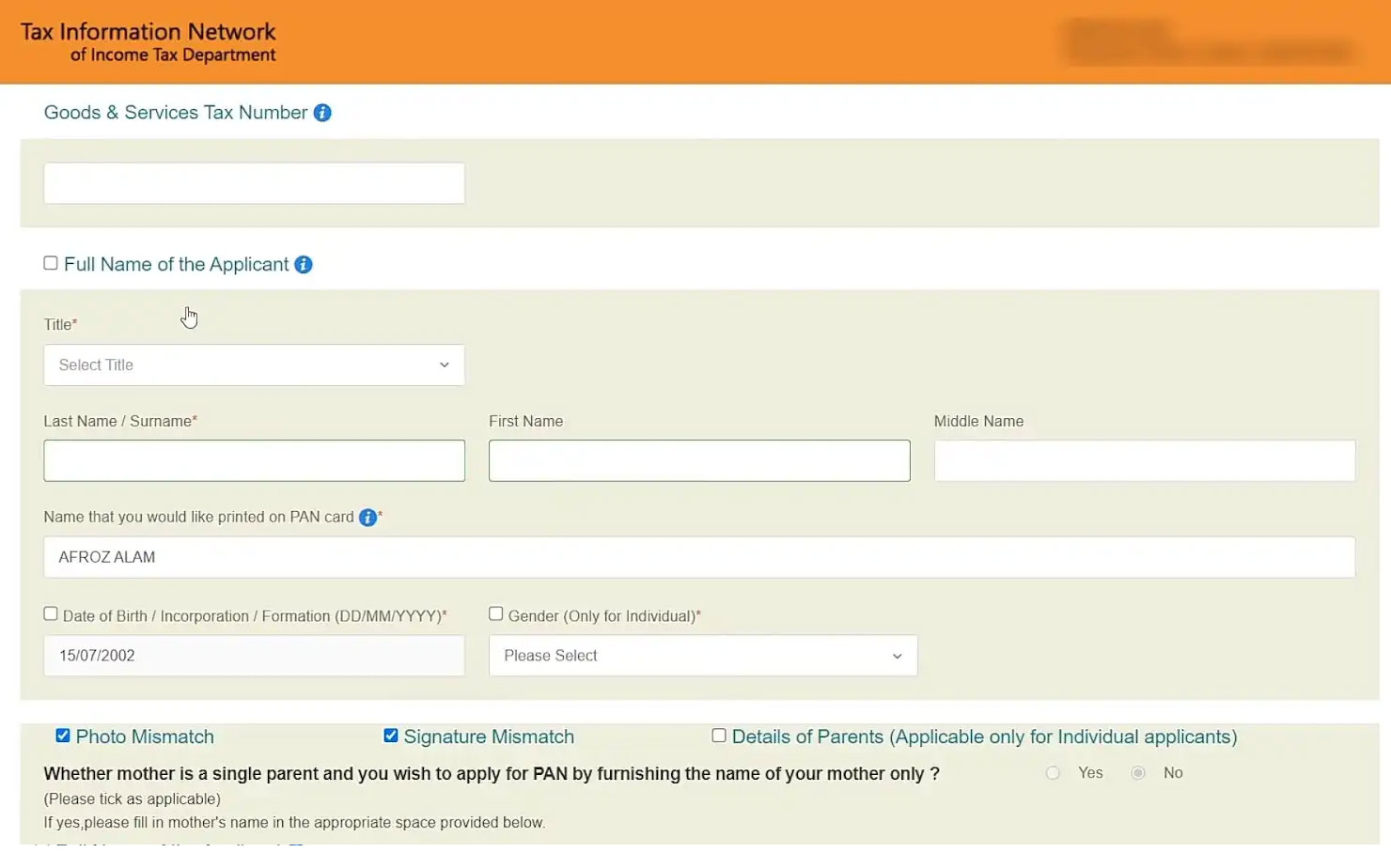
STEP 7 - Scroll down and update the required details. Remember to tick the relevant box for which correction or update is required. After filling up, click on ‘Next’ to proceed to the page ‘Contact and other details’ .
STEP 8 - Based on the particular you have updated, attach the proof document along with a copy of PAN.
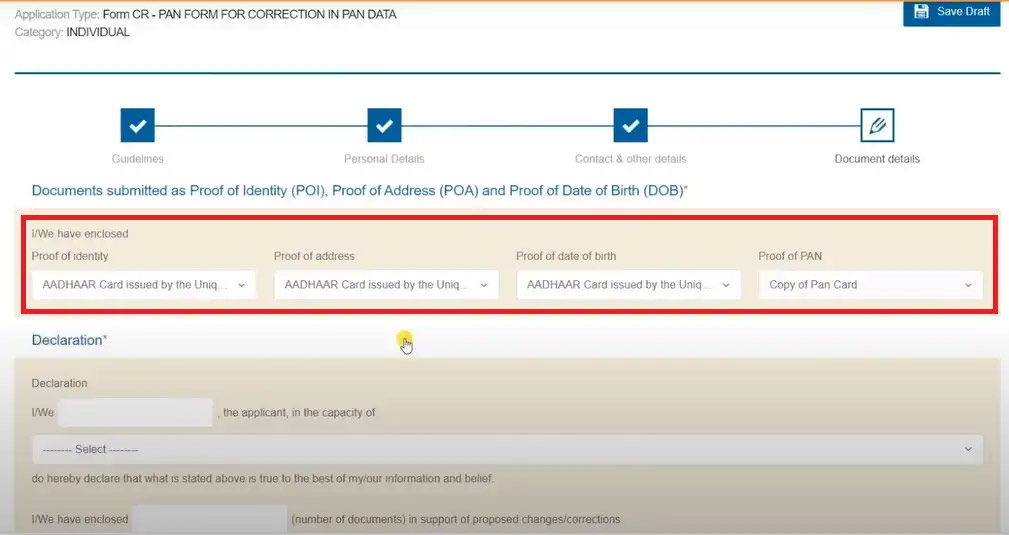
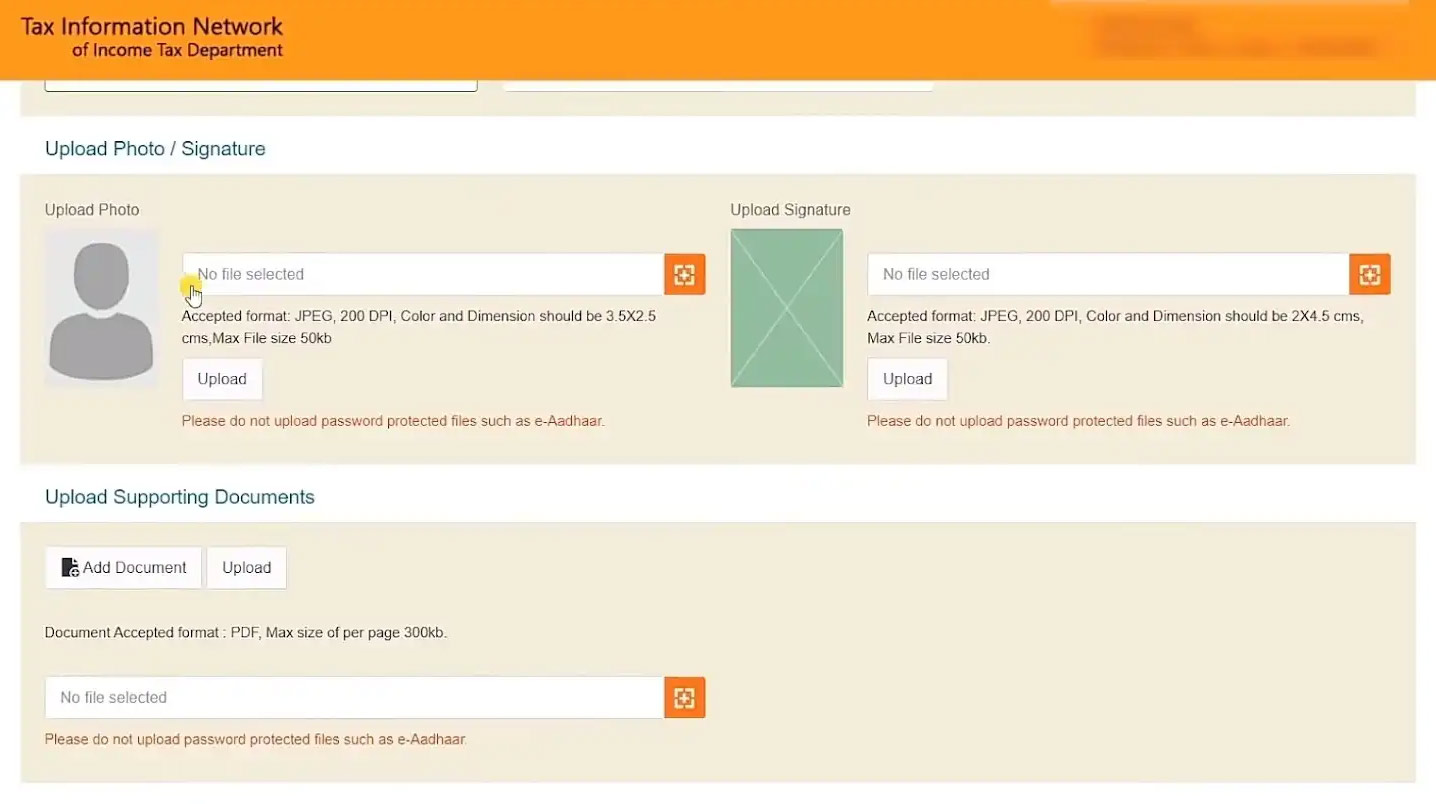
STEP 9 - Upload the scanned images of your photograph, signature and the required documents. If an individual is requesting for the surrender of PAN, they themselves should sign the declaration, else they must be signed by the authorised signatories. For instance, Director in the case of a company and partner in the case of a partnership firm/LLP.
STEP 10 - After submitting your details, you will get a preview of your application form. Verify your details and make necessary edits wherever required or proceed to make the payment.
STEP 11 - Once the payment is successful, you will see a downloadable acknowledgement. Save and print the acknowledgement for future reference and as proof of payment.
STEP 12 - After submitting your details, you will get a preview of your application form. Verify your details and make necessary edits wherever required or proceed to make the payment.
STEP 13 - If you opt for sending the application form and documents physically, affix 2 photographs on the printed acknowledgement copy, sign it and send the same to NSDL e-Gov. Before sending the acknowledgement, label the envelope with ‘Application for PAN Cancellation’ and the acknowledgement number.
STEP 13 - Your acknowledgement, demand draft (in case any) and document proof should reach NSDL e-Gov within 15 days from the date of online application. Also, note that the guidelines mentioned above would not be applicable in case of DSC or Aadhaar based e-Sign online PAN application.