
• Finnety Logo
  • Home
  • Our Products
  • Home Loan
  • Balance Transfer
  • Loan Against Property
  • About Us
  • Support

How to download FORM 26AS

Form 26AS can be downloaded on the Income Tax website. Below are the "steps to view and download Form 26AS from the Income Tax website.

Hero Image

STEP 1 - Visit the Income Tax website and login using the following link:https://www.incometax.gov.in/iec/foportal/
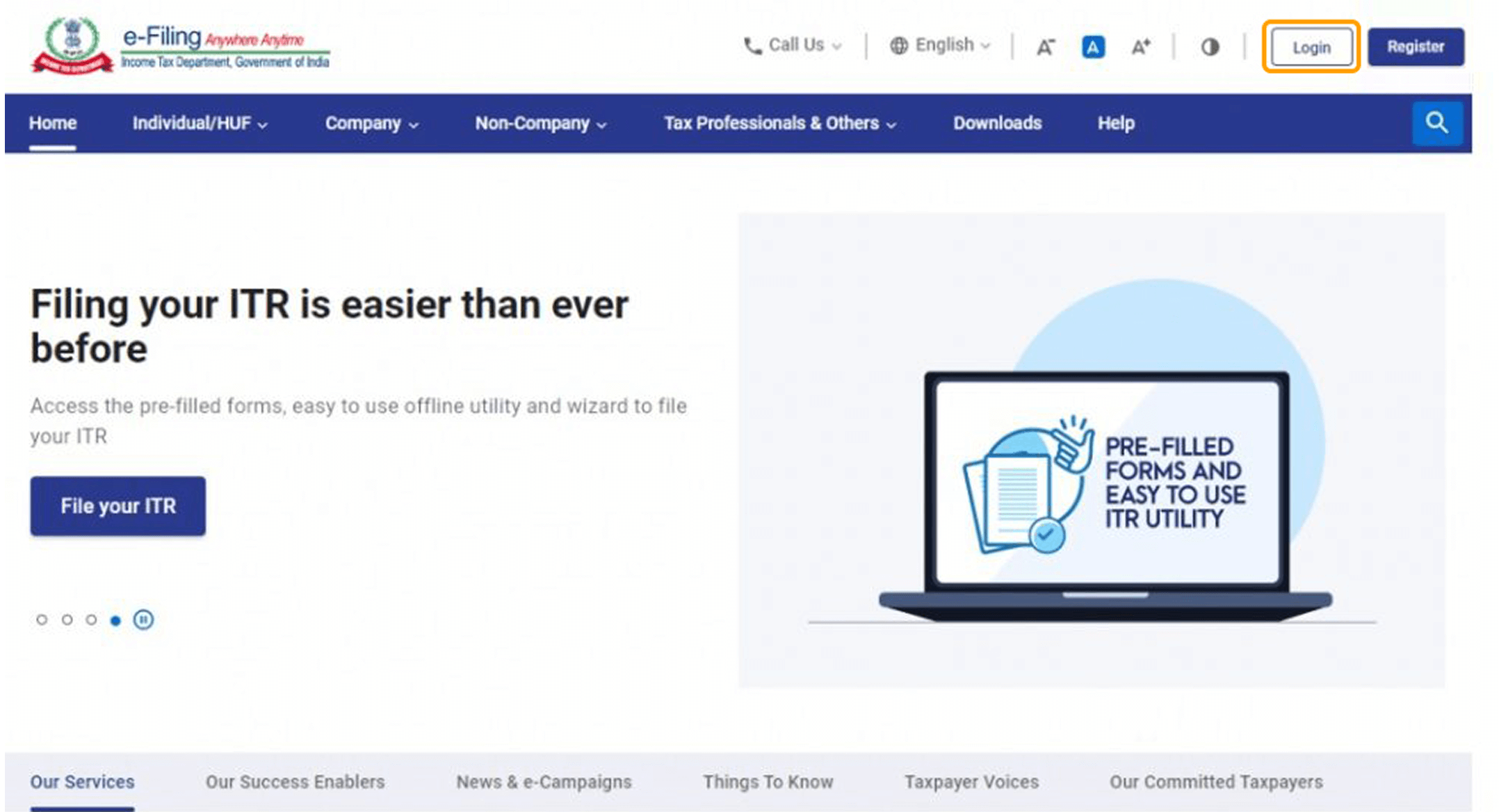
Form 26AS - STEP 1

STEP 2 - Enter your user ID - It can be either PAN or Aadhaar number. If the user ID is invalid, an error message will be displayed. Continue with valid user ID details.
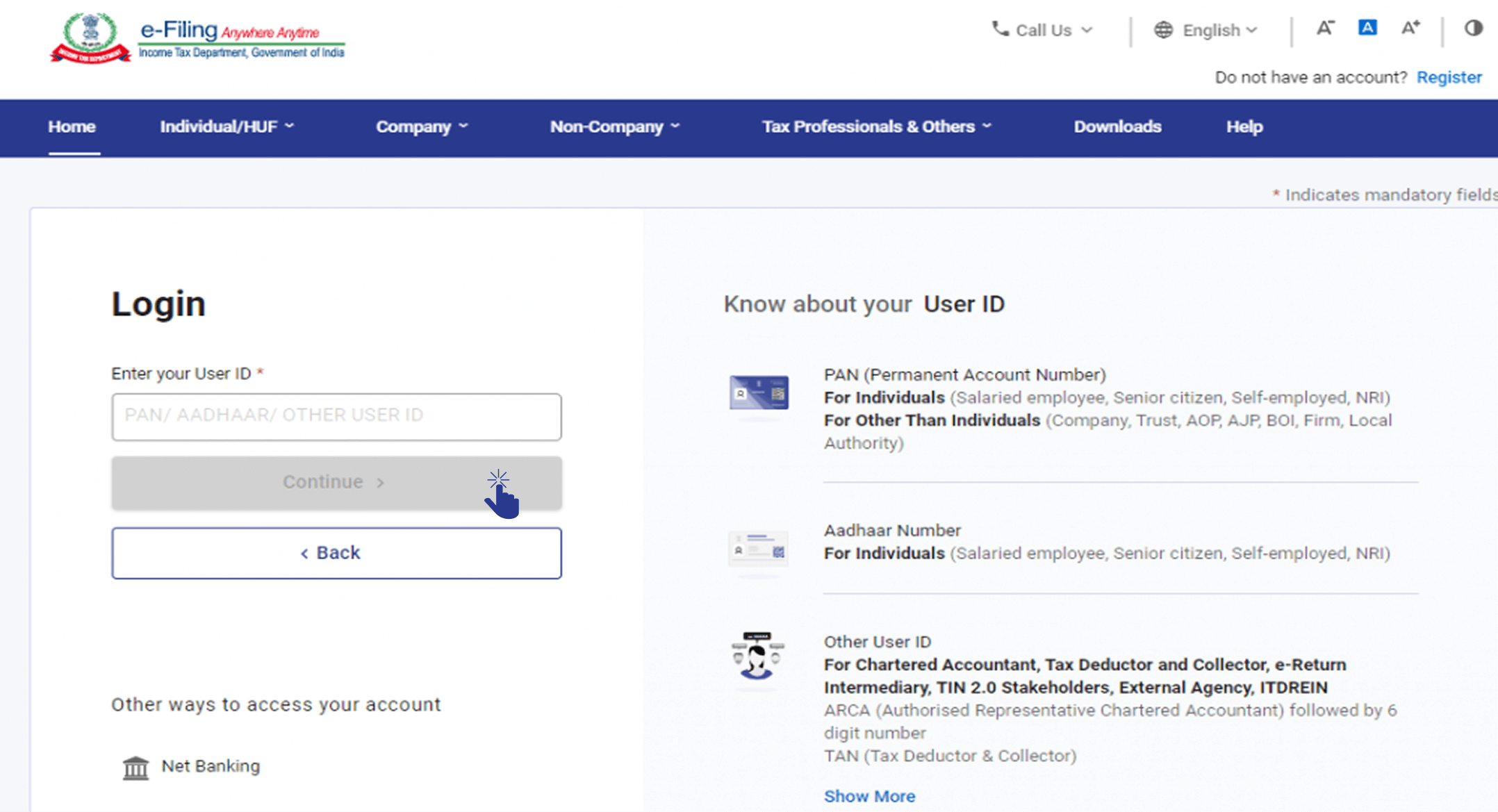
Form 26AS - STEP 2

STEP 3 - Enter the password and continue.
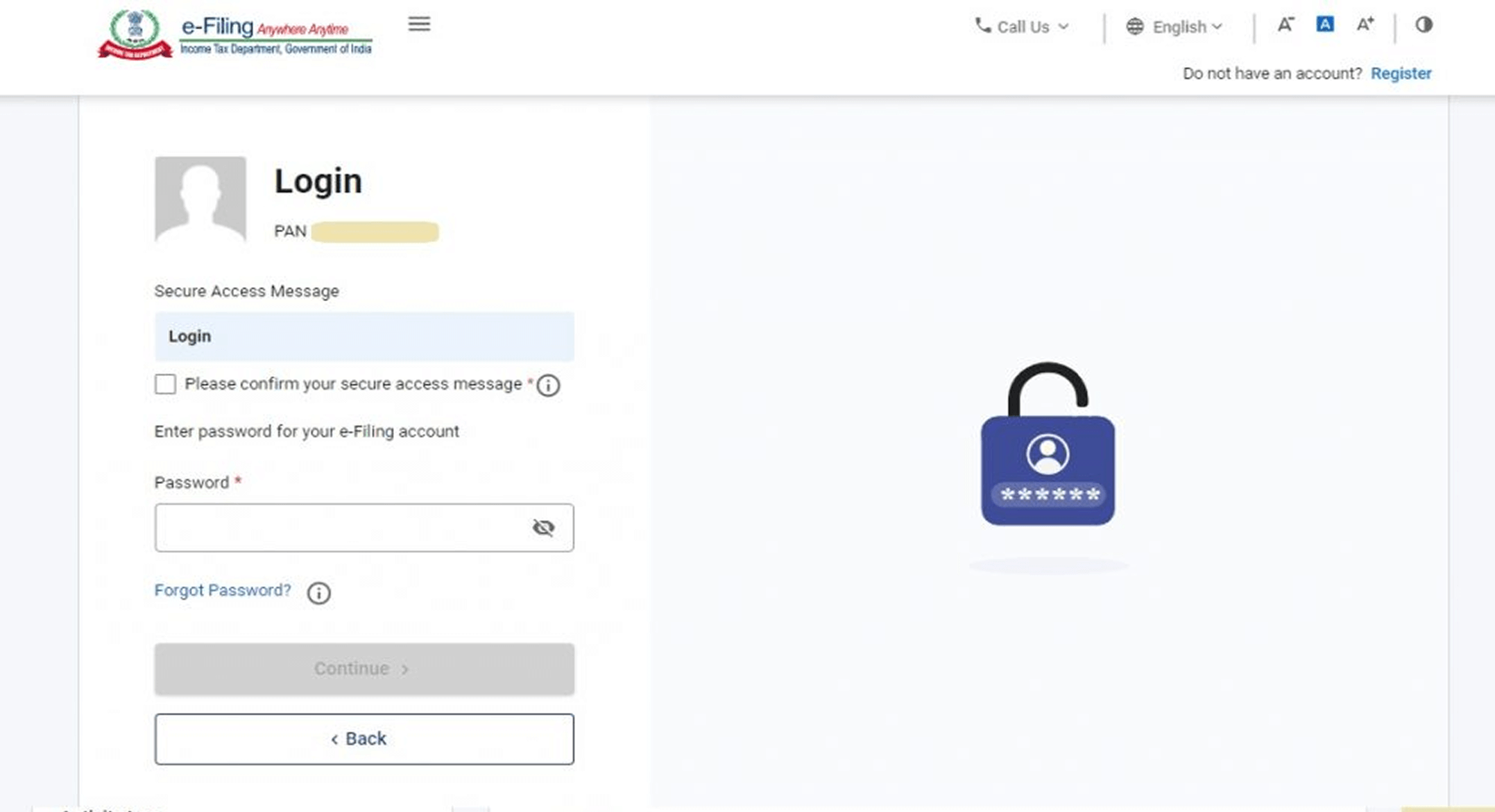
Form 26AS - STEP 3

STEP 4 - Go to 'e-file'. Click on 'Income Tax Returns' and select 'View Form 26AS' in the drop-down.
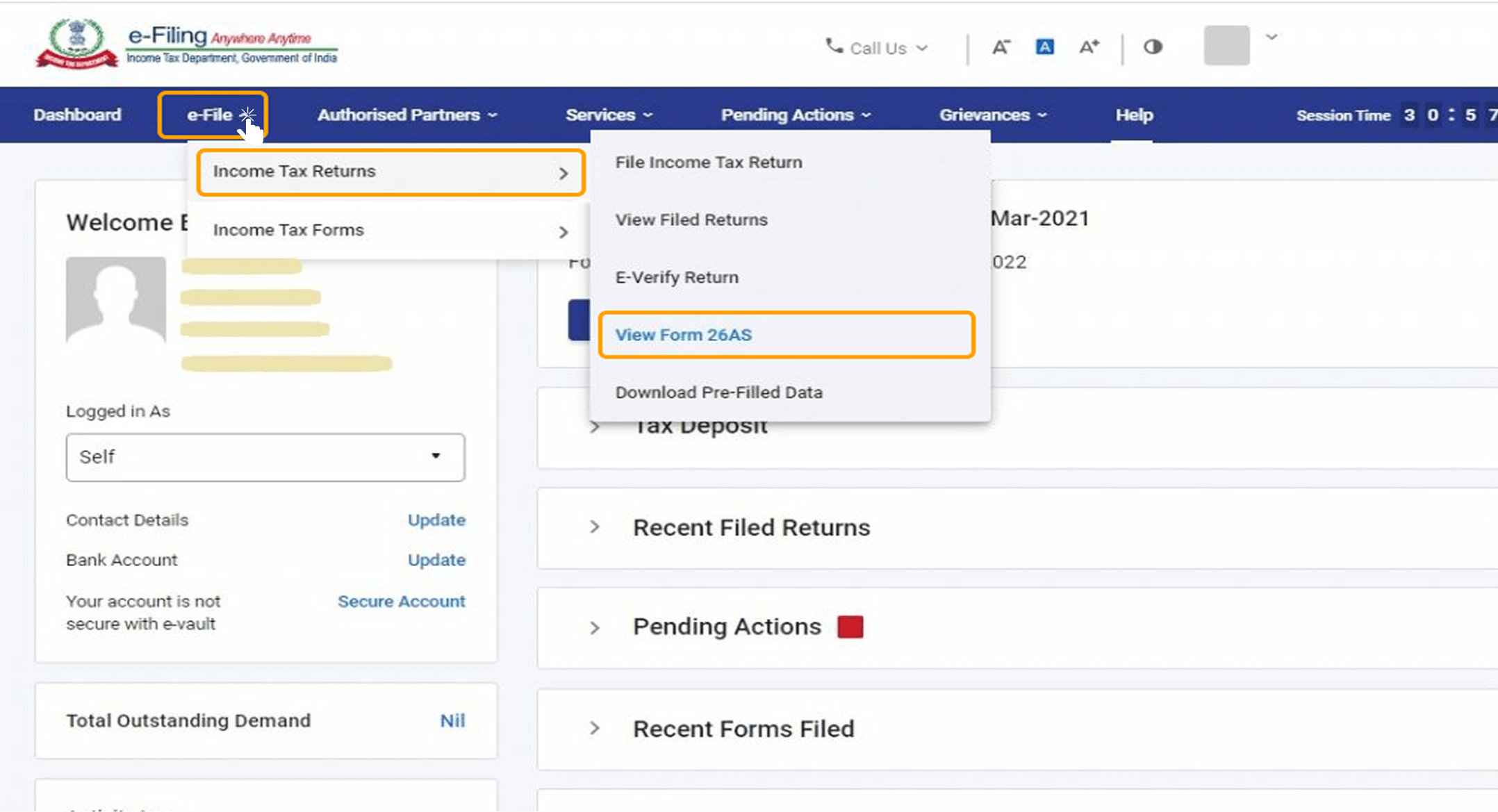
Form 26AS - STEP 4

STEP 5 - A disclaimer will now appear. Click on Confirm so that you are redirected to the TRACES website (don't worry, this is necessary and completely safe since it is a government website).
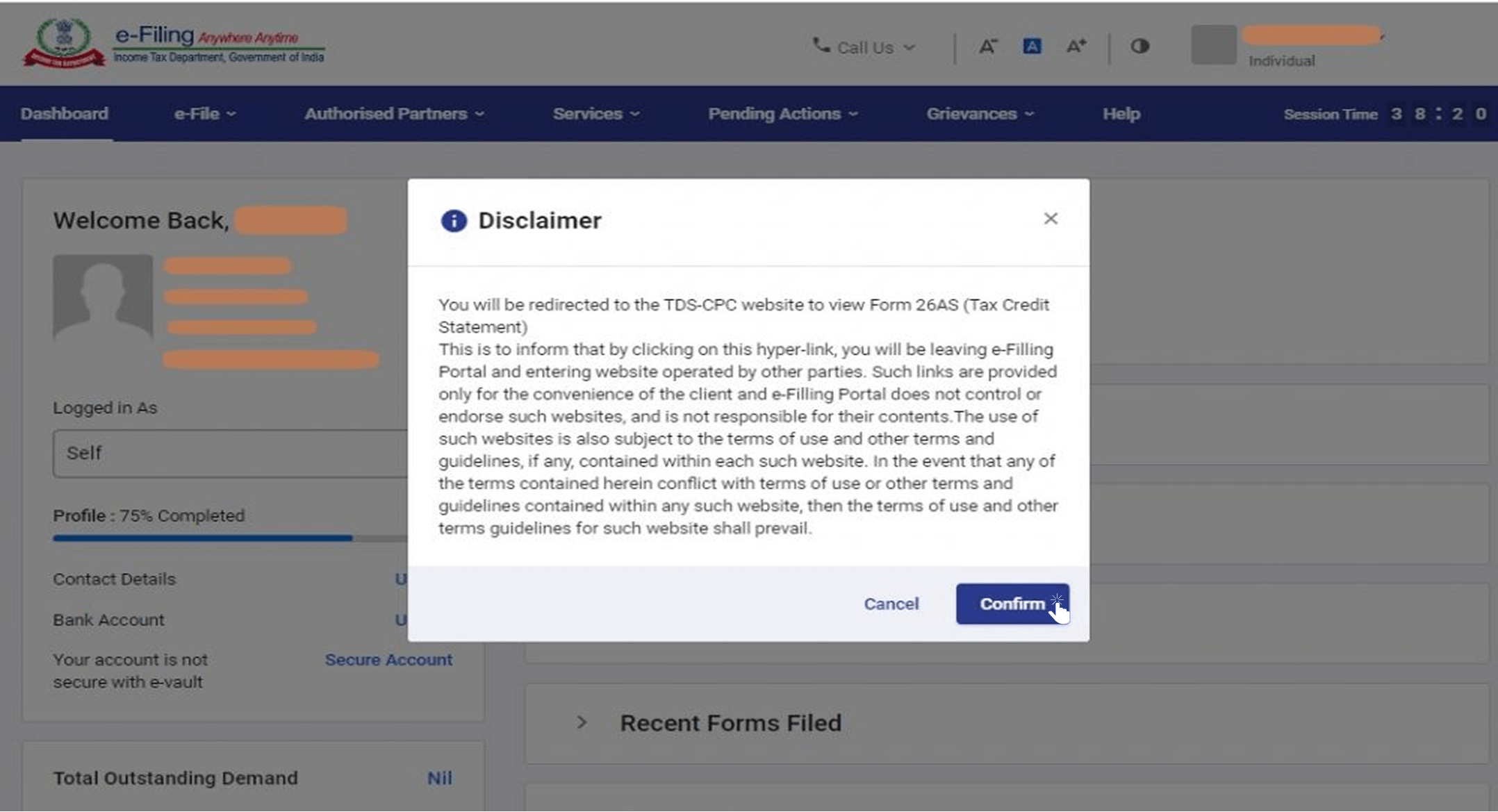
Form 26AS - STEP 5

STEP 6 - You are now on the TRACES (TDS-CPC) website. Select the box on the screen and click on 'Proceed'.
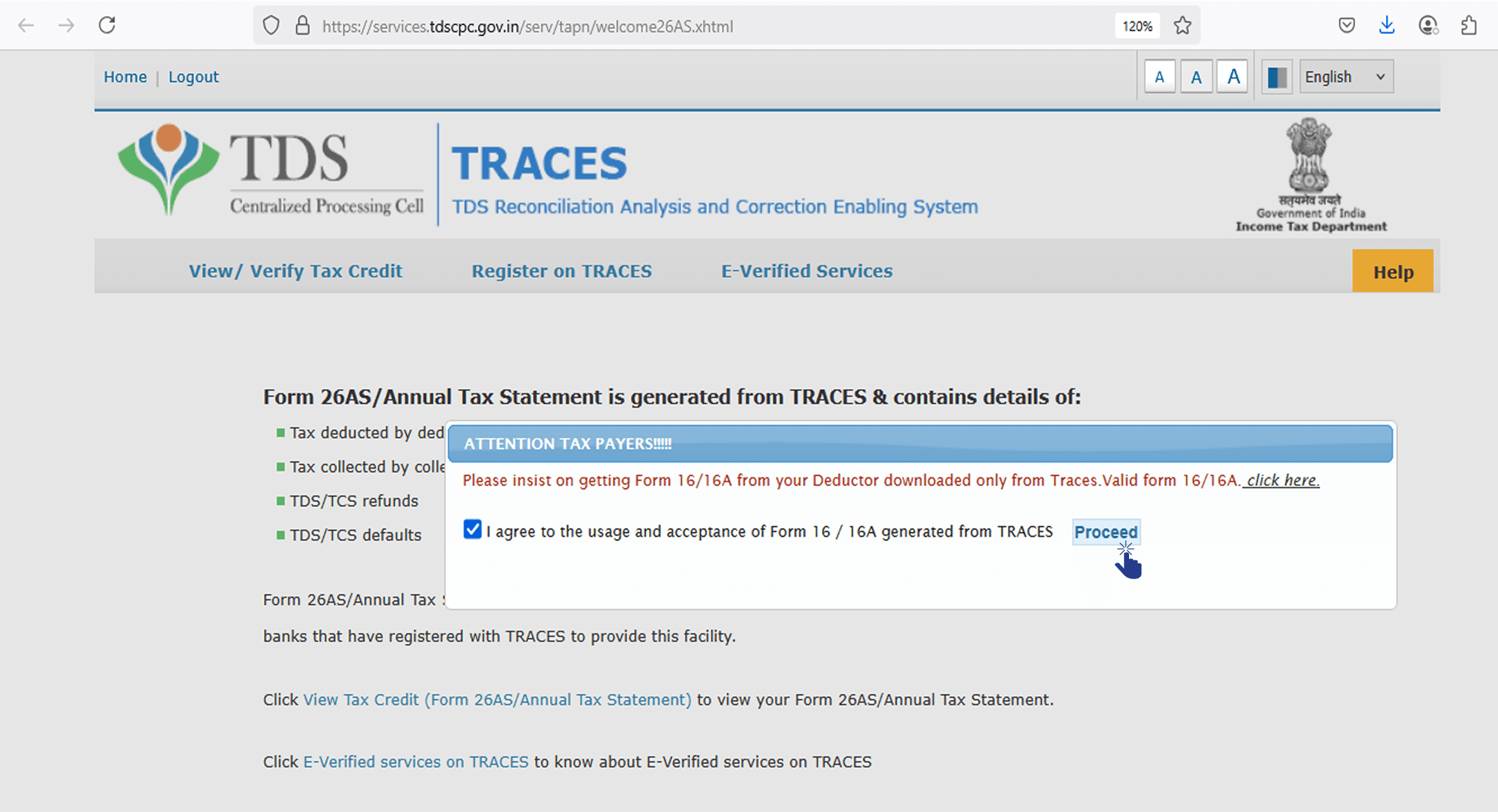
Form 26AS - STEP 6

STEP 7 - Click on the link at the bottom of the page – Click 'View Tax Credit (Form 26AS)' to view your Form 26AS.
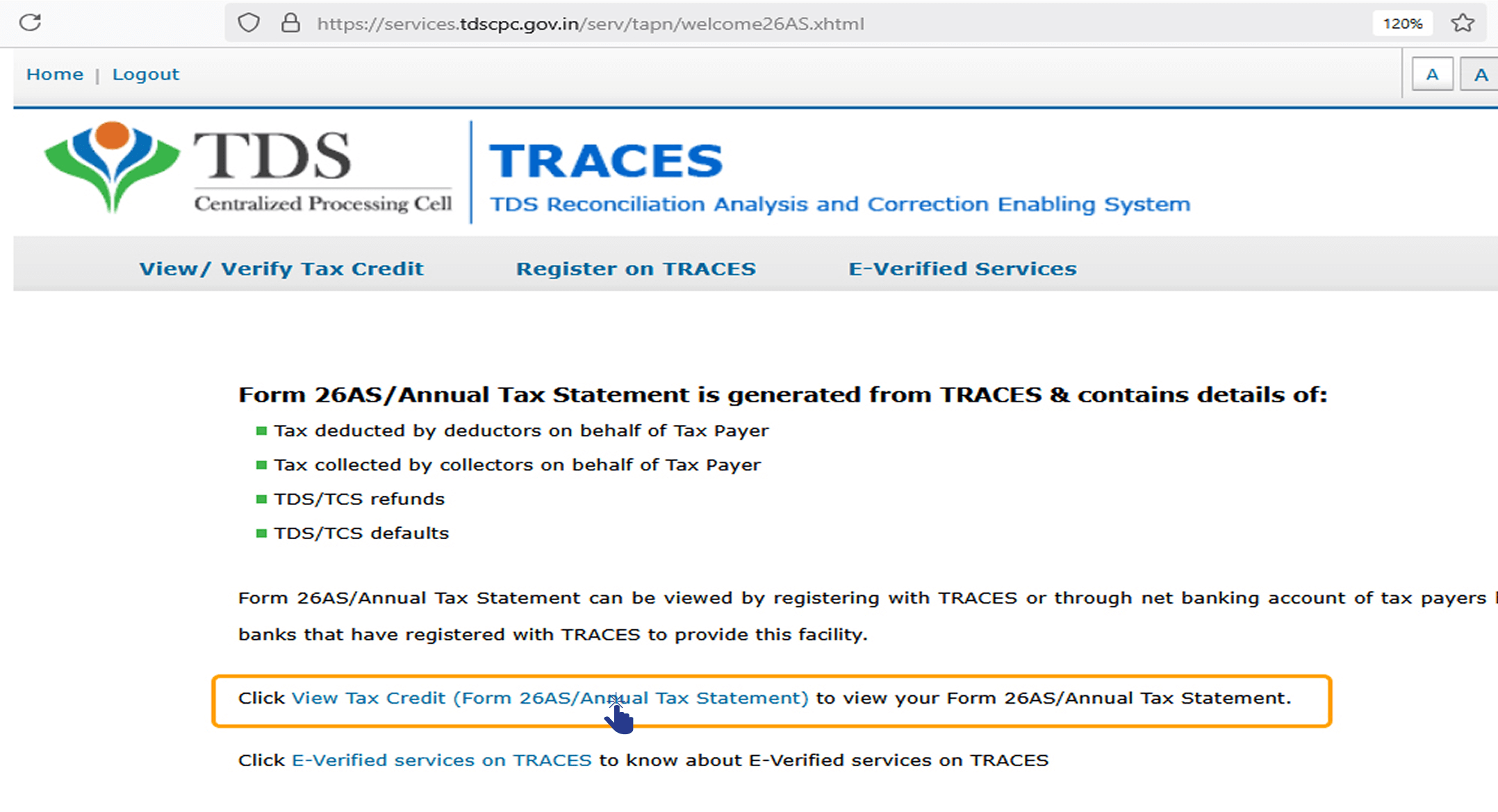
Form 26AS - STEP 7

STEP 8 - Choose the Assessment Year and the format you want to see Form 26AS. If you want to see it online, leave the format as HTML. You can also choose to download it as a PDF. After you have made your choice, enter the 'Verification Code' and click on the 'View/Download' button.
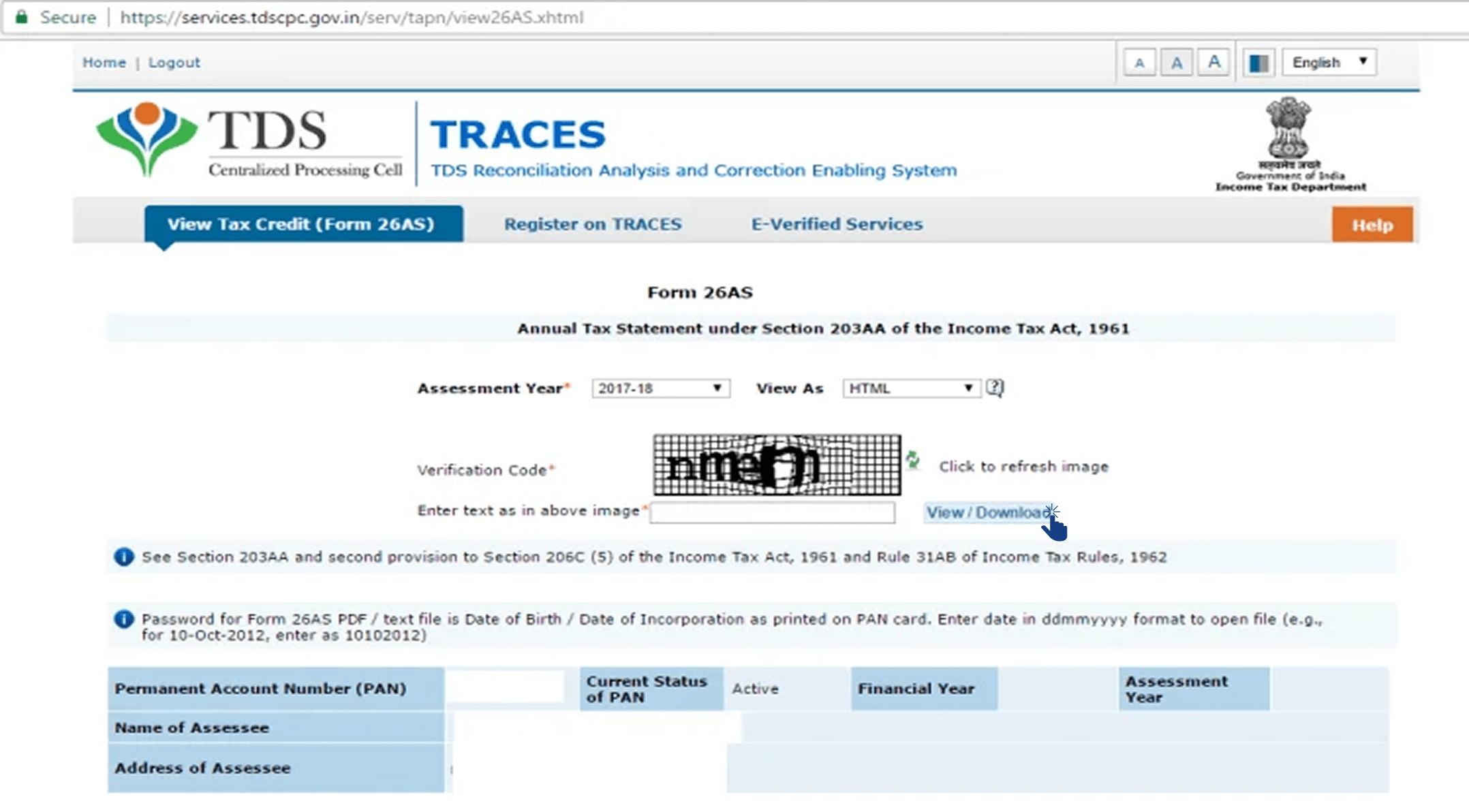
Form 26AS - STEP 8

STEP 9 - View and Share - After the download, you can view Form 26AS and share it with us.
Form 26AS - STEP 9 - View and Share

1 Platform, 100+ Banks & NBFCs.

As Comprehensive as it gets!

We are not a Bank. We are a price comparison service for Home Loans & Loans against Property. These services have significant differences in interest rates and total costs. Our mission is to help everyone find the cheapest possible options.

Bank partner undefined
smile

Happiness Assured

quote

Good service! My client recently purchased a flat in Bangalore and applied for home loan with HDFC. The interest and charges were nominal and he got the loan on time. Happy with the Finnety’s service!

comparify
Arvind Singh
Kumar Services
comparify
quote

We have been using Finnety’s CRM for leads. Their software helps identify India’s lowest EMI bank within no time. Their LMS helps us communicate with clients digitally. Love their product!

comparify
Rajan Sharma
Anmol Finance
comparify